Method-1
- Open your account -> select the device -> features selection -> search "Password to start the application"
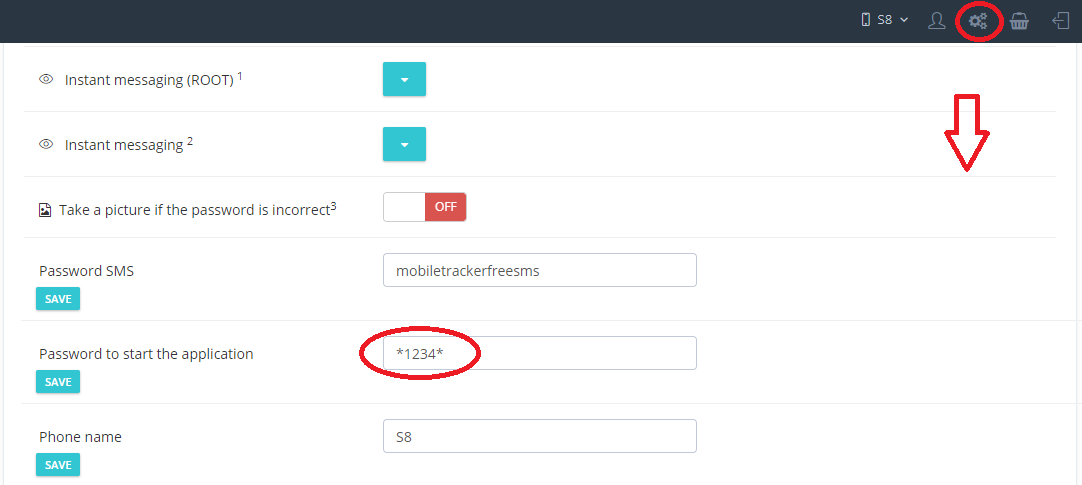
Example: *1234*. Once done, tap the Call button.
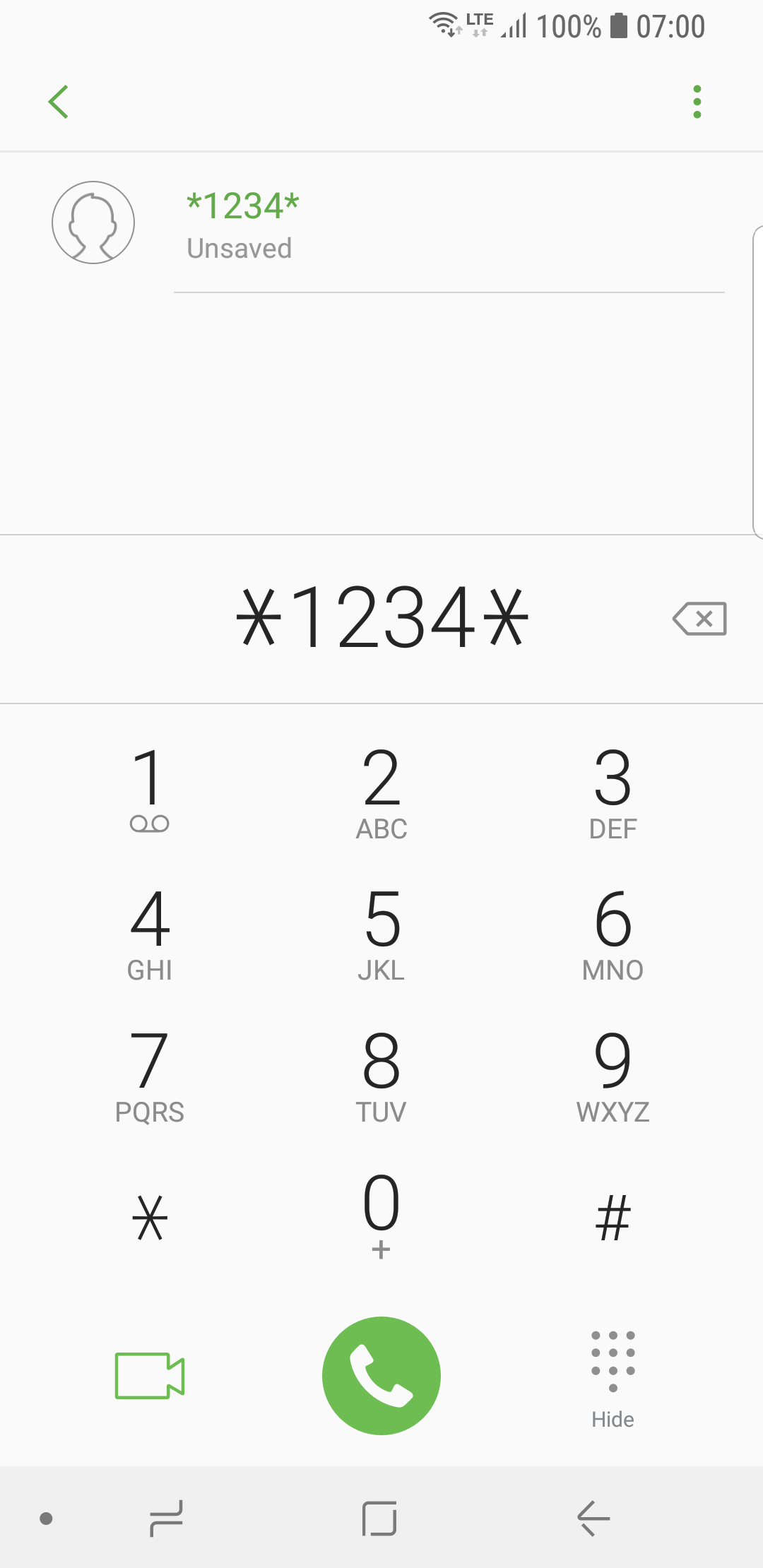
The program will start.
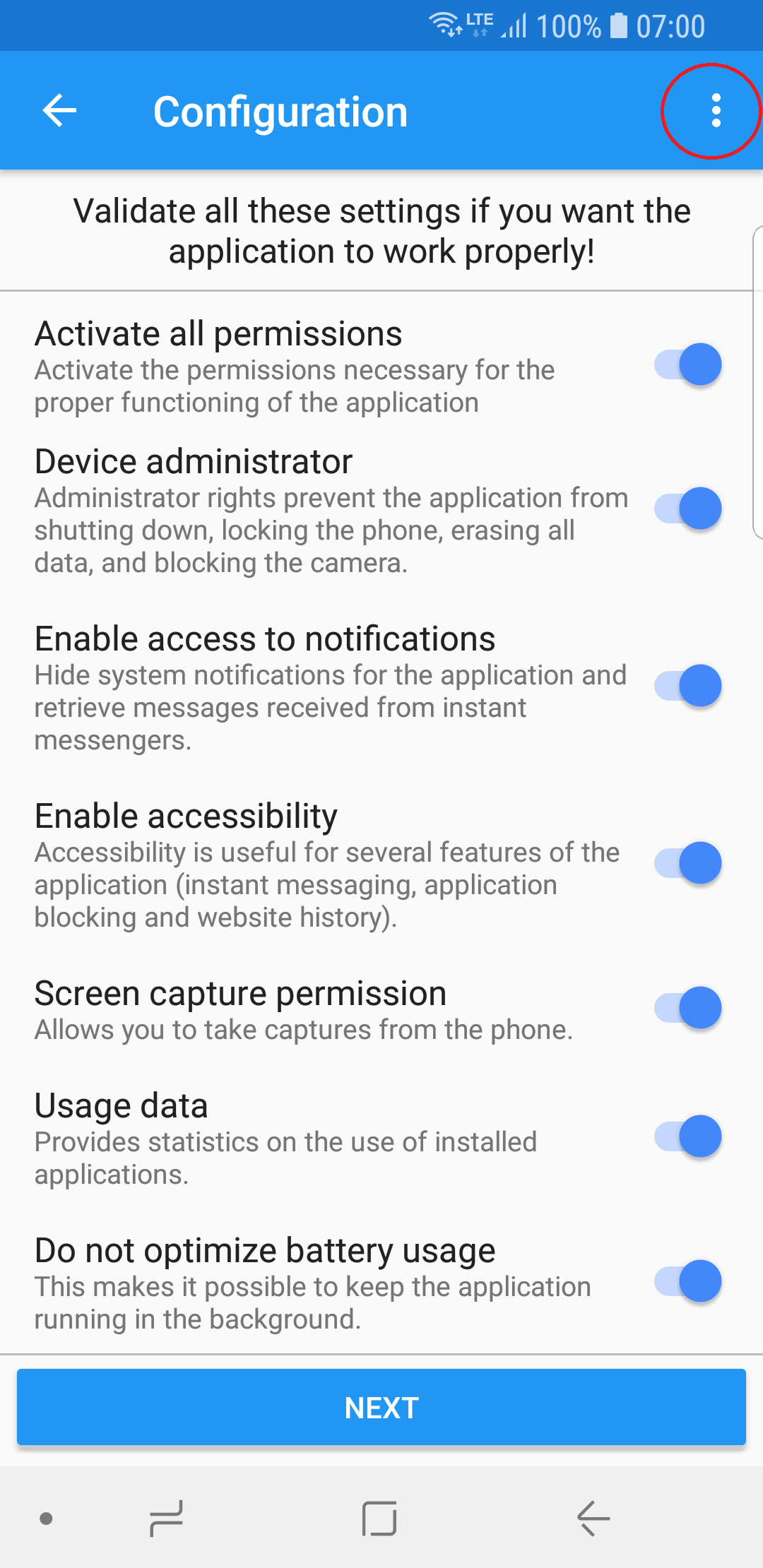
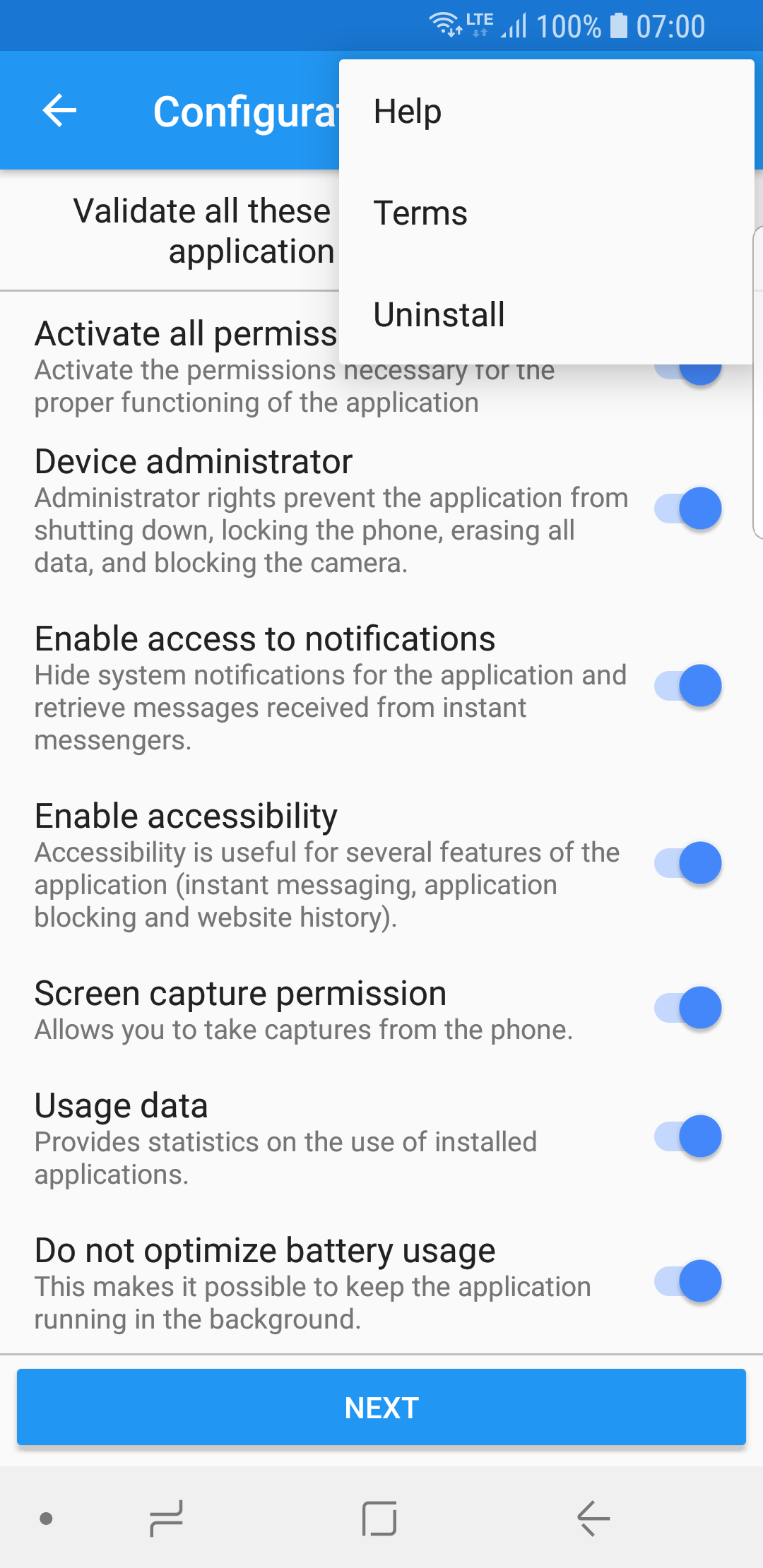
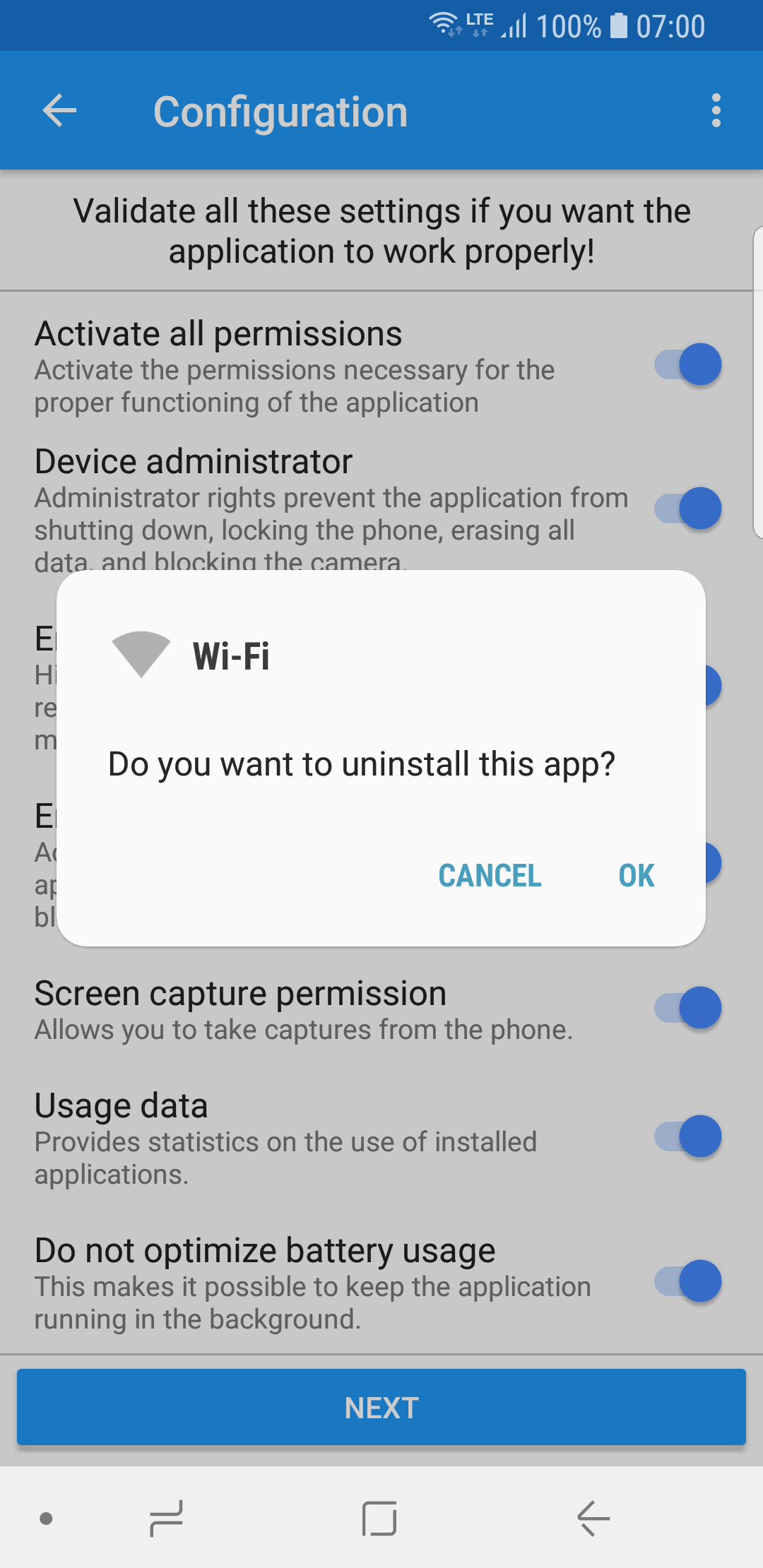
Select "menu" button => Uninstall => OK
Method-2
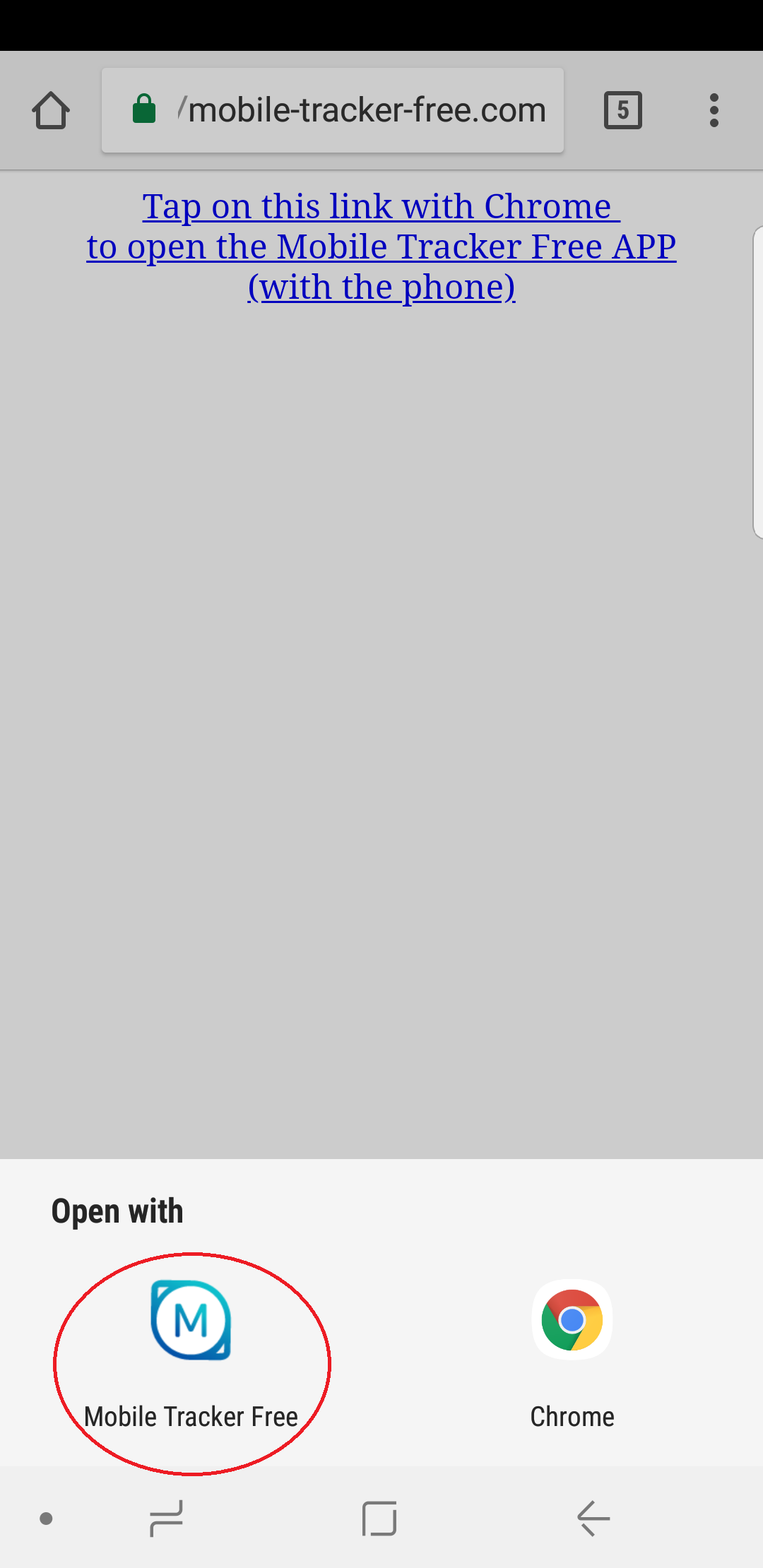
• Open Google Chrome with the target Android phone.
Copy Link: 👇
https://mobile-tracker-free.com/uninstall/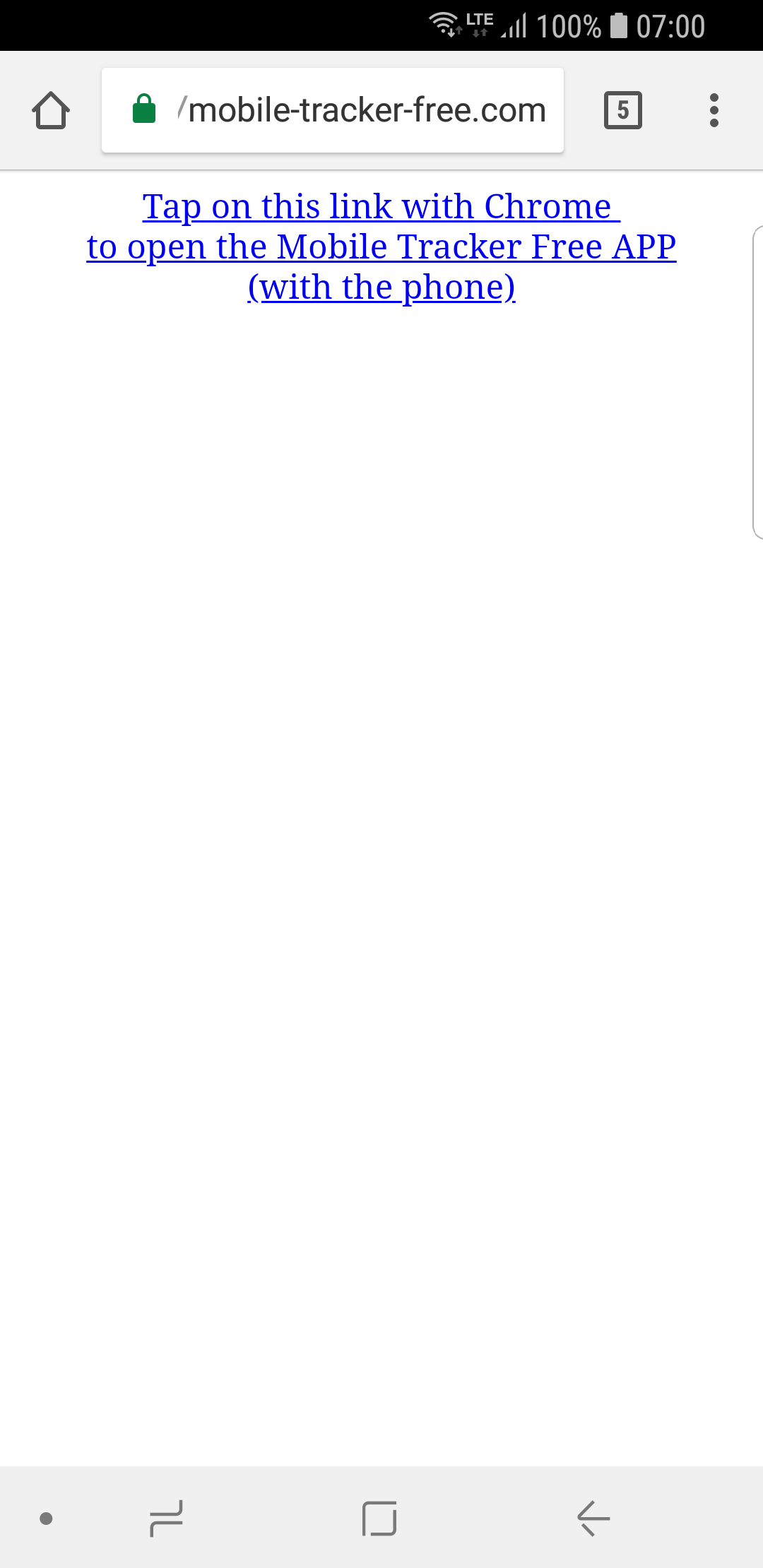
Method-3
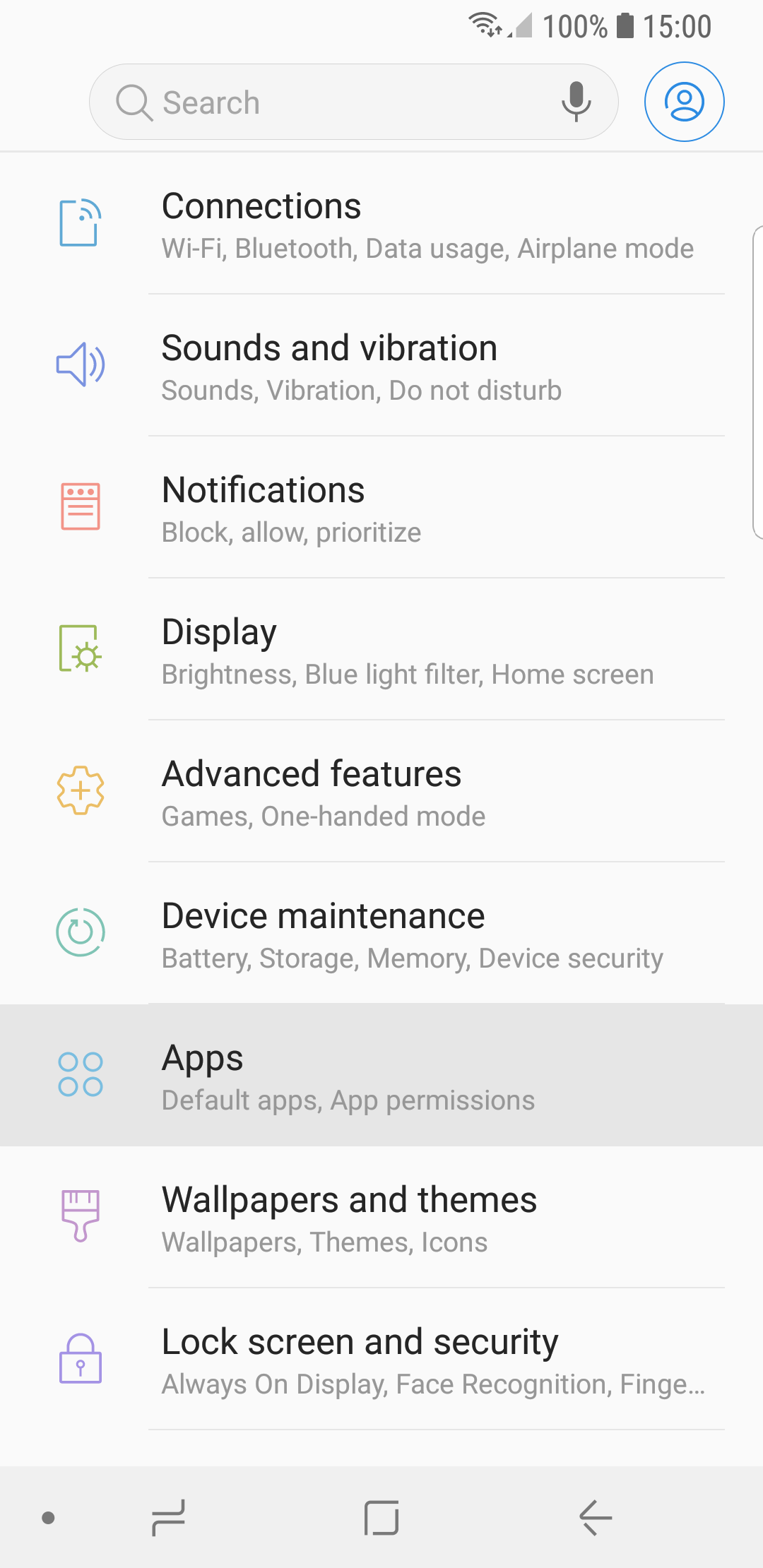
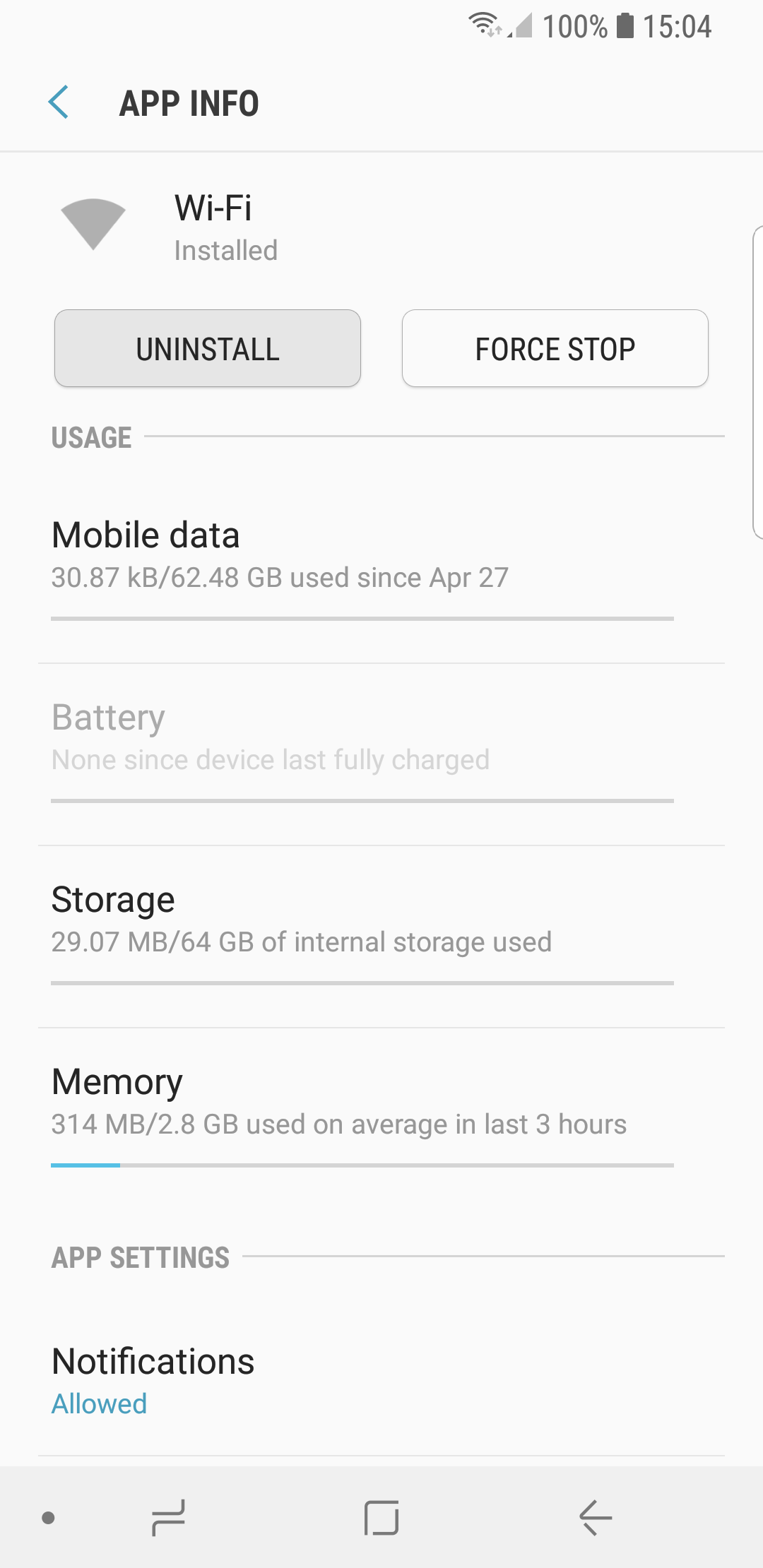
- Settings => Apps => « Wi-Fi » => Uninstall